



Using the internet on a Windows computer has become part of everyday life. People use their PCs for work, online shopping, banking, entertainment, gaming, and staying connected with friends and family. With so much personal information moving online, it is worth taking a few simple steps to improve your privacy and security.
One practical option is a virtual private network, commonly known as a VPN. A VPN creates an encrypted connection between your device and the internet, making it harder for others on the same network to see what you are doing. This can be particularly useful when connecting to public Wi-Fi at coffee shops, hotels, airports, libraries, or other shared locations.
What Does a VPN Do?
When you connect to the internet normally, your device communicates with websites and online services through your regular internet connection. A VPN creates an extra protective barrier separating your computer from the online sites you browse.
After you turn on your VPN connection, all your web data flows within an encrypted tunnel toward a remote VPN server. In this case, websites will detect the public IP belonging to that server rather than the unique IP tied to your own device.
This does not make you completely invisible online, but it can provide an additional layer of privacy, especially when using networks that you do not fully control.
Why Windows Users May Want a VPN
Windows computers are used in many different environments. You might use the same laptop at home, at work, and while traveling. Every network comes with its own security considerations.
Public Wi-Fi is one example. Shared networks can be convenient, but you generally have less control over who else is connected. Using a VPN on these networks can help protect your internet traffic from certain types of network monitoring.
A VPN can also be useful for people who travel frequently. Instead of relying on unfamiliar networks every time they go online, travelers can use a VPN to add an extra layer of protection to their connection.
For people who regularly work remotely, privacy can be another consideration. A VPN can help create a more consistent connection setup when moving between different networks.
Getting Started With iTop VPN
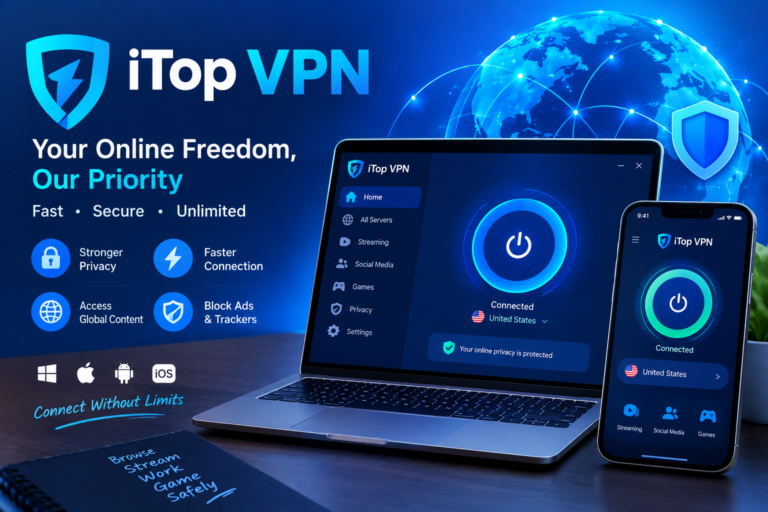
If you want an easy option, you can finish an iTop VPN download from its official page and launch it right on your Windows PC. The basic process is similar to setting up many other VPN applications.
First, download and install the application on your Windows computer. After opening it, you can review the available server locations and select one that suits your needs.
Once you choose a location, start the connection. The application will establish the VPN connection, and your internet traffic will then pass through the selected VPN server.
The interface is designed to keep the process relatively simple, which can be helpful if you have never used a VPN before.
Choosing the Right Server
The server you choose can affect your browsing experience. A server that is geographically closer to you may provide a more responsive connection, although the actual result depends on factors such as network conditions, server load, and your internet provider.
If your main goal is everyday browsing, you may want to start with a nearby location. If you are traveling and want to access your usual online services, you can explore the available locations and see which connection works best for your situation.
It is also worth remembering that a VPN cannot fix an already slow internet connection. If your home internet is unreliable, connecting through a VPN will not automatically solve the underlying problem.
Can You Use a Free VPN?
Cost is another reason people look for VPN services. Not everyone wants to pay for a subscription before deciding whether a VPN fits their needs.
A free VPN option can give users a way to explore the basic experience without immediately committing to a paid plan. However, free services can have limitations, such as fewer server choices, usage restrictions, or different feature sets.
Before choosing any VPN service, it is a good idea to understand what is included with the free version and what requires a paid plan. This makes it easier to choose an option that matches your actual requirements.
VPNs and Everyday Privacy
A VPN should be viewed as one part of a broader online privacy strategy rather than a complete security solution.
For example, using strong and unique passwords, enabling two-factor authentication, keeping Windows and other software updated, and avoiding suspicious links are all important security habits.
It is also useful to pay attention to the permissions requested by applications and the privacy policies of services you use. A VPN can protect the connection between your device and the VPN server, but it does not prevent websites from collecting information through accounts, cookies, browser settings, or other tracking technologies.
Understanding these limitations helps users have more realistic expectations about what a VPN can and cannot do.
Is a VPN Worth Using on Windows?
For many Windows users, a VPN can be a useful addition to their everyday internet setup. It is particularly worth considering if you frequently use public Wi-Fi, travel with a laptop, or simply want another layer of privacy while browsing.
The setup process is generally simple, and once the connection is configured, you can turn it on whenever you need it.
A VPN is not a replacement for basic cybersecurity habits, but it can complement them. Keeping your operating system updated, using reputable security software, choosing strong passwords, and being careful about the websites and files you interact with should remain part of your routine.
Final Thoughts
Internet privacy does not have to be complicated. For Windows users, adding a VPN to their regular browsing setup can be a simple way to improve the privacy of their internet connection.
Whether you are working from a public location, traveling with your laptop, or browsing from home, a VPN can provide an additional layer between your device and the wider internet. The key is to choose a service based on the features, server options, limitations, and privacy practices that matter to you.
With the right expectations and good security habits, a VPN can become a practical part of a safer and more private Windows browsing routine.
